

Graduate commuter students struggle with coordinating social time and rarely experience spontaneous interactions. GeoMingle is a mobile app that centralizes event discovery and nearby peer visibility to make connecting easier and more meaningful. User testing showed increased clarity, trust, and ease in finding social opportunities.
METHODS
Survey
Interviews
Diary Studies
Persona
Storyboard
User Flow
Lo-Hi Fidelity Prototypes
User Testing

MY ROLE
UX Researcher
UX Designer
Team of 4
DURATION
8 weeks: September 2025 - December 2025
Qualitative User Research & Design Methods
Literature Review
Focus Groups
Contextual Interviews
Co-Design
Experience Design Theatre
My Role
UX Researcher
UX Designer
Duration
6 weeks: March 2024 - May 2024
.jpeg)
.jpeg)
MY ROLE
UX Researcher
UX Designer
Team of 4
DURATION
8 weeks: September 2025 - December 2025
METHODS
Survey
Interviews
Diary Studies
Persona
Storyboard
User Flow
Lo-Hi Fidelity Prototypes
User Testing
Overview
Many commuter students face challenges coordinating meetups with their peers due to the wide range of communication platforms they must monitor, alongside responsibilities and obligations outside of school, making it difficult to maintain these relationships.
Completed as part of the graduate course HCDE 518: User-Centered Design, GeoMingle is a mobile application designed to help graduate commuter students connect with nearby University of Washington peers and university-affiliated events through location-based discovery, supported by a sticker-based reward system that promotes sustained social engagement.
Problem / Motivation
At UW, many graduate students commute to and from campus each day. A commute can last anywhere from 15 minutes to 3 hours per direction.
Graduate commuter students face unique social barriers: limited time on campus, competing responsibilities, and reliance on scattered communication platforms. Many want meaningful relationships but describe the effort to coordinate as overwhelming and time-consuming.

DESIGN QUESTION
“How might we help commuter students maintain meaningful connections with peers living close to campus, so that the distance between them does not determine the quality or sustainability of their relationships?”
WHAT'S NEXT?
What we aim to understand...
How do commuter students currently maintain or develop relationships?
How do meaningful connections form between commuter students?
What helps commuter students maintain or develop their relationships?
What experiences do commuter students believe best support meaningful relationships?
User Research
METHODS

KEY FINDINGS
These insights shaped our focus on reducing cognitive load and increasing opportunities for spontaneous connection.
1
It’s Not the Distance - It’s the Coordination
Commuters aren’t disconnected because of physical distance, but because coordinating social time is difficult, spontaneous interactions are rare.
48% of students said commuting reduced their availability to meet peers, and 65% cited time constraints as a major factor limiting their social lives.
2
Students Want Connection, Not More Effort
Students want low-effort, low-pressure ways to connect. They need solutions that simplify coordination, centralize information, and make casual interactions easier and more visible.
As one participant shared, “A simple café meetup took more than three days to coordinate because everyone’s routine was different.”
3
They are Overloaded and Overwhelmed
The volume and fragmentation of event information across Slack, Discord, GroupMe, and Instagram leave students overwhelmed. Without a unified channel, they find it difficult to sift through messages, understand what’s relevant, and keep up with peers.
Students noted the absence of “one big group chat for class,” which leaves them sorting through “large amounts of information” across multiple platforms to keep up.
Personas & Focus
PERSONAS
We created two concise personas:
A first-year master's student new to the area who wants to make friends and feel included, but struggles to connect due to his long commute and a lack of low-effort ways to discover casual social opportunities

A proactive graduate student who strives to build community by organizing events, but she is frustrated by the difficulty of managing communication across too many fragmented platforms

PROBLEM DEFINITION
Insights from our survey and interviews revealed that graduate commuters’ main barriers weren’t who they knew, but when and how they could connect, leading us to reframe our design question accordingly.
REFINED DESIGN QUESTION
“How might we design integrated systems
that help UW graduate commuter students
discover and sustain peer connections within the structural constraints of time and distance?”
Design Solution
Based on our user research, we created GeoMingle - a mobile application that aims to strengthen commuter students’ sense of belonging within the UW community, even when they spend limited time on campus.
We integrated a sticker-based reward system, whereby each user earns a sticker for every time they meet with their peers and every event they attend, making each new connection feel engaging and rewarding. This system encourages continued participation, helping students build meaningful, low-pressure relationships over time.
DESIGN GOALS
WIth our user research in mind, we came up with the following goals:
-
Consolidate scattered event platforms without adding to students’ information load.
-
Make relevant events and nearby social opportunities easy to discover.
-
Reduce coordination effort by supporting low-pressure, lightweight social interactions.
-
Respect commuter routines by minimizing extra travel or time commitments.
-
Strengthen commuters’ sense of belonging and campus identity.
SKETCHING & IDEATION
Guided by our design goals, we sketched concepts and grouped them into themes. Our top three were:
-
making scheduling easier
-
making commutes more social, and
-
making connections fun through gamification.

STORYBOARDS
After determining our themes, our team created our Storyboards to determine better how our potential ideas would help our primary and secondary personas.
Storyboard 1: How our primary persona, Newcomer Student, Justin, could use the app to find a meetup nearby and connect with his peers.

Storyboard 2: How our secondary persona, Community Builder, Joy, goes on GeoMingle to see her punchcard progress and goes to a cafe to earn a sticker.

USER FLOWS
With our storyboards in place, we created the User Flows based on those scenarios to determine how the user would potentially navigate our mobile application:
User Flow 1: User uses GeoMingle to find events and to progress/earn points for existing goals.

User Flow 2: User uses GeoMingle to attend an event and verify their participation to earn points.

LOW-FIDELITY PROTOTYPE
Equipped with our storyboards and userflows, the first draft of our protoype was designed and we were ready to start user testing.

User Testing
TESTING AND NOTE-TAKING
We conducted on-campus testing using scenarios where participants interacted with team members acting as peers or event hosts. Using real campus locations encouraged participants to move between spaces and created a more immersive experience. Dedicated notetakers used a structured table to log observations and rate task difficulty for each step. After each session, we reviewed these notes alongside screen recordings to identify pain points and understand user interactions in real time.
The participant interacts with GeoMingle to arrive at an event, where an event host (actor) prompts the user to check in to the event and begin a connection request.


WHAT WE LEARNED
From four moderated usability sessions on our low-fidelity prototype, we identified clear patterns in where participants hesitated, felt confused, or needed more guidance. The insights below synthesize the main usability findings, explain why they matter for commuter students using GeoMingle, and link each point to specific observations from our tests.
1
Users expect clear control over who can contact them
Notification and connection settings must be framed in terms of who can reach the user and under what conditions, not in vague or system-centric language.
3/4 participants were confused by “Who do you want to be notified by?” and did not understand who would be sending notifications.
2
Privacy and safety are core requirements for adoption
Participants wanted reassurance that they could manage or remove unwanted connections, which is especially important for an app that facilitates in-person meetups.
2/4 participants raised data and privacy concerns and specifically asked for the ability to unfriend/block peers and filter who could connect with them.
3
Interaction tweaks can unlock the overall concept
The underlying idea of location-based, event-driven social connection resonated, but small issues in wording and affordances created unnecessary friction across tasks.
Across 11 core tasks, recurring issues clustered around button wording (“Set Preferences,” “Invite Others”), map navigation signifiers, and calendar interaction, despite participants understanding and liking the high-level concept.
EVALUATION
In our high-fidelity prototype, we applied key usability findings directly to the design. We refined labels to better match users’ mental models (e.g., “Set Preferences” → “Areas of Interest,” “Invite Others” → “Invite Peers”), added clearer navigation cues and GPS routing, redesigned the calendar to allow creating availability blocks in-view, and introduced profile-level controls for managing visibility and connections.
Some issues—such as advanced privacy settings, blocking/reporting flows, expanded accessibility support, and full event-creation tools—were noted but not addressed due to scope and timeline constraints. These are documented as future development opportunities and are revisited in the Final Design section.
Final Design
HI-FIDELITY PROTOTYPE
Informed by user testing, we developed our final design and incorporated the improvements identified in earlier stages. As the application is intended to be University of Washington–affiliated, we adopted the institution’s official color palette to reinforce school identity and pride. Additionally, the UW color system also aligns with accessibility standards.
Homepage: View Recommended Events & Pending Invites
Users will be able to log in and access their personal schedules through GeoMingle. To promote community engagement, recommended nearby events will be displayed directly on the homepage. Additionally, users will have visibility into any unread notifications, such as invites, and messages.


Profile Creation: Set Availability, Interests & Filters
Users will have the ability to customize their profiles, including specifying personal interests and availability. Insights from user testing indicated that users also value control over their visibility and interactions; therefore, setting options have been incorporated to allow individuals to set connection filters and choose whether their profile appears on the map.


Discovery: Events & Invite Peers
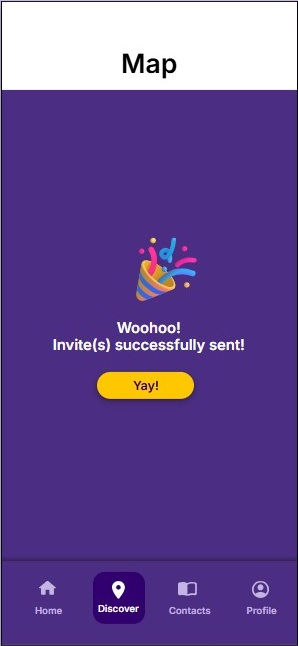
With location-based functionality, users can utilize the map page to search for nearby events and peers. From a single page, they can register for events and extend invitations to others. GeoMingle streamlines the process of discovering opportunities and coordinating connections, enhancing ease and efficiency for meeting up.


Check-In: Attendance Made Easy
Users have two options to check in when they arrive at an event. Users can check in via the Host or Kiosk for a seamless check-in.


Contacts: View Your Peers and Connect With Them
Users will be able to conveniently view their existing contacts and search for new peers. They can easily request to connect with nearby individuals and view shared areas of interests. Additionally, connection punchcards will be accessible within their profiles, providing visibility into connection history and progress.


Punchards: Rewarding Connections
Each connection made and every event attended contributes to a user’s reward progression. As users build more connections, they advance toward earning achievement-based incentives. Users will also be able to view their contacts and monitor mutual progress, allowing them to see when both parties are approaching a reward milestone. This design encourages users to maintain active engagement, fostering ongoing relationships with their peers while motivating continued participation through achievement-based incentives.


Reflection & Takeaways
IMPACT
What value does Geomingle create for UW graduate commuter students?
GeoMingle addresses UW graduate commuter students’ experience of the effortful coordination required to maintain campus connections when living farther away from their peers and campus.
Consolidated social event feed & coordination
Geomingle consolidates previously scattered information from multiple platforms into a single feed to save time monitoring relevant events and increase event visibility.
1
Reduced social connection initiation anxiety
Geomingle enables low-stakes presence awareness and reduces coordination from days of back-and-forth that previously prevented students from reaching out to just minutes.
2
Sustained social engagement with peers
Geomingle incorporates a reward-based gamification system that encourages peers to seek social opportunities and build continued interactions with one another over time.
3
REFLECTION & TAKEAWAYS
What we learned
Triangulate research methods to build confidence & completion of research findings.
Serving your primary persona well serves others adequately, but trying to serve everyone equally serves no one well.
Next steps
Longitudinal validation to track whether GeoMingle will be continually used or become a forgotten app.
Privacy model refinement through user testing to validate whether different controls feel safe or appropriate.


.png)